Recipes & shopping list · iPhone, iPad & Android

Your recipe book and your shopping list, in one app.

Save a recipe, send its ingredients to the list in one tap, plan the week and leave the loyalty cards in your pocket. No ads, in any version.
Recipes
Photo · time · servings · ingredients with amounts · numbered steps · nutrition per serving
Import
Paste a recipe link or a YouTube video: an AI fills in the recipe for you
Lists
346 products · 14 categories · 323 supermarket chains · 33 countries
Cards
Loyalty cards by barcode, full screen at full brightness
Also on
iPad · Apple Watch · Wear OS
Price
Free · no ads · free account
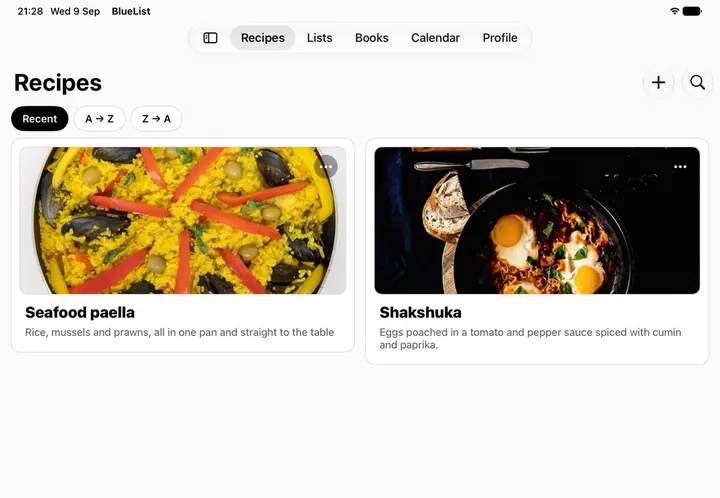
The recipe library on iPad
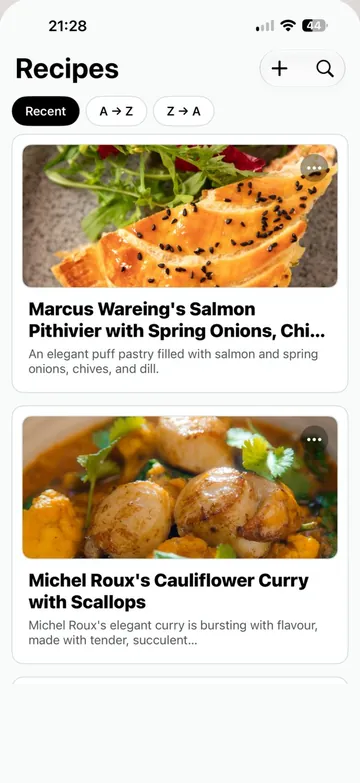
The recipe library on iPhone

How it works

Keep it.

Write the recipe or paste the link and it fills itself in: title, photo, time, servings, ingredients and steps. Group them into cookbooks, as many as you want.

Recipes · Cookbooks · Search

Plan it.

Drop a recipe into breakfast, lunch, dinner or a snack on any day. Move through the week day by day, or jump to any date in the month.

Mon · Tue · Wed · Thu · Fri

Shop it.

Send a recipe's ingredients to a list in one tap: all of them, or only the ones you're missing. Tick things off in the aisle and watch the count go down.

7 pending · 3 in the trolley

Import

Paste a link. It fills itself in.

A recipe page or a YouTube video: an AI in the cloud reads it and fills in the recipe. Up to 100 AI imports a month for free and 500 with Premium, shared between recipes and list photos.
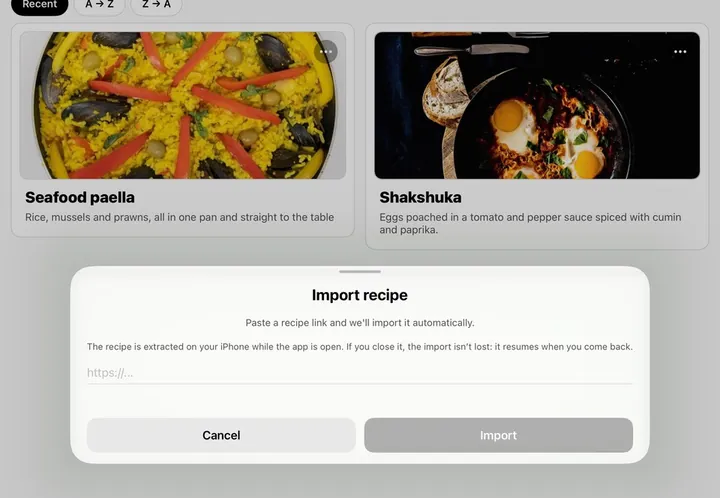
The import dialog over the recipe library on iPad
Import recipe · iPad

It needs an internet connection and works on any compatible phone or tablet. The AI only receives the page's text, never your name or your email, doesn't use it to train models and deletes it within 30 days.

Inside

The list, the recipe and the books.

Everything you create lives on your phone and works with no connection. Nothing is uploaded unless you ask for it.
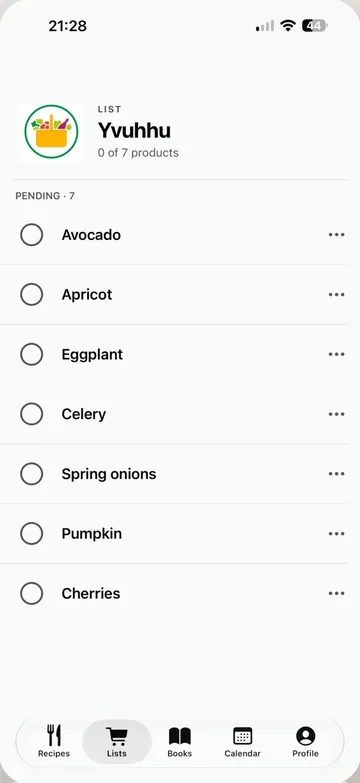
A shopping list with seven pending products on iPhone
The shopping list346 everyday products in 14 categories, a note on any item, and the count of what is still pending
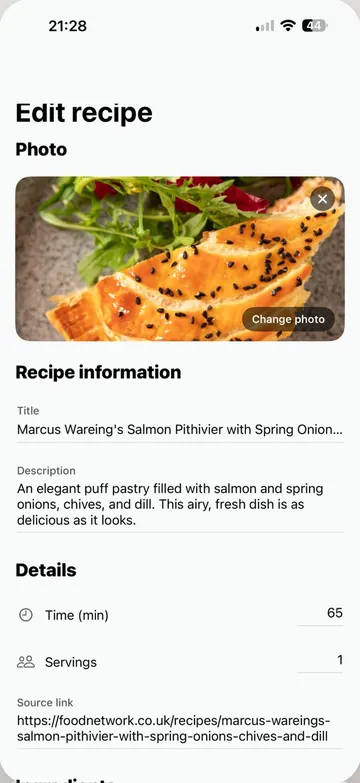
Editing a recipe on iPhone
Every field yoursPhoto, title, description, time, servings, source, ingredients with amounts and numbered steps
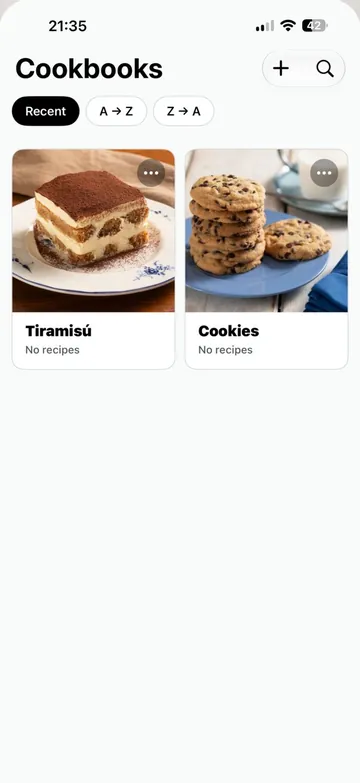
Cookbooks on iPhone
CookbooksGroup your recipes with a photo or a colour cover, and share a whole book by link
  • 346products in the catalogue
  • 323supermarket chains
  • 33countries
  • 19languages
  • 0ads, ever

Pricing

Free, and a Premium for the cloud.

Free

Everything on your phone

  • Unlimited recipes, lists, cookbooks, calendar and loyalty cards.
  • Nutrition per serving, worked out automatically for each new recipe.
  • Up to 100 AI imports a month, shared between recipes and list photos.
  • Receiving and importing whatever other people share with you.
  • No ads. Not in any version, ever.

Premium

Cloud and sharing

  • Up to 500 AI imports a month, shared between recipes and list photos.
  • Cloud backup and sync across all your devices.
  • Sharing recipes, cookbooks and shopping lists by link.
  • Monthly or yearly, cancelled from your device's store.

A free account is required. Sign in with your email, with Google, or with Apple on iPhone and iPad. Without Premium your content is stored only on your device. All that leaves it is what you choose to share, the system backup and what you ask the AI to read (a page's text, a list photo or the ingredients for nutrition), which goes through our servers and is deleted within 30 days. You can delete your account with all its data from inside the app.

Get the app
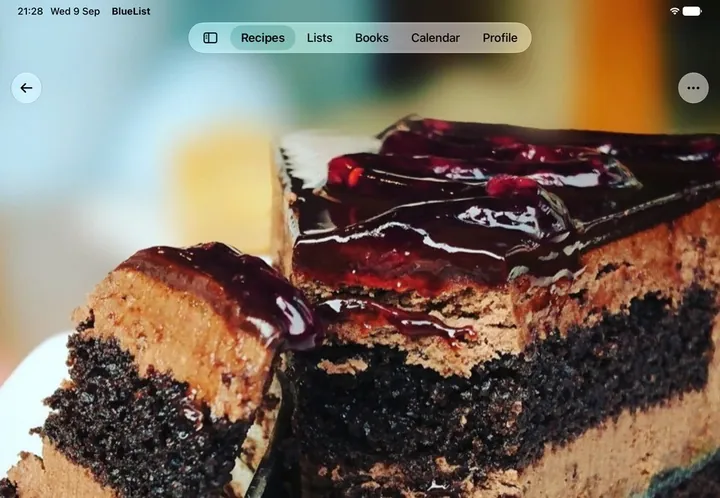
In the kitchen, in the aisle, on your wrist.

Phone
iPhone · Android
Tablet
iPad · Android tablet
Watch
Apple Watch · Wear OS, with the list and the barcode of your cards
Sharing
Shared lists update in real time, each person in their own language
Price
Free on the App Store and Google Play, with 100 AI imports a month. Premium adds the cloud, sharing and up to 500 AI imports a month.
A recipe open on iPad
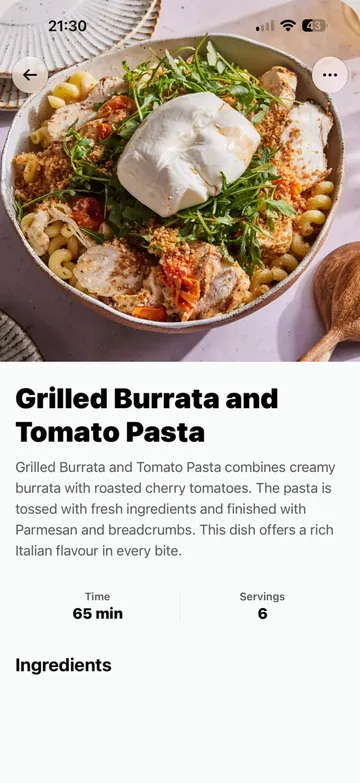
A recipe open on iPhone
The full list Everything the app does, in detail, for whoever wants to read it

Recipes Your Way

  • Create recipes with a cover photo, time, servings, ingredients with amounts and numbered steps
  • Add the nutrition per serving and see it as a ring on the recipe, or let the app work it out for you
  • Search your library by name, and sort it by newest or alphabetically
  • Crop your own cover photo, and add a photo to any step

Import by Pasting a Link

  • Paste the link of a recipe page or a YouTube video and BlueList fills in the title, the photo, the time, the servings, the ingredients and the steps
  • An AI in the cloud reads it through our servers: it only receives the page's text, never your name or your email
  • Up to 100 AI imports a month on the free plan and 500 with Premium, shared between recipes and list photos

It needs an internet connection. The app tells you how many AI imports you have left this month, and you can always add recipes by hand.

The Shopping List

  • Send a recipe's ingredients to a list in one tap: all of them, or only the ones you're missing
  • A catalogue of 346 everyday products in 14 categories, with search and a note on any item, like "brand X" or "the big one"
  • Tick off what's already in the trolley and watch the progress between pending and bought
  • Give each list its supermarket's logo and recognise it at a glance: 323 chains across 33 countries

Loyalty Cards

  • Scan the barcode of your loyalty cards with the camera, or type the number in by hand
  • Pick your chain's logo from the same catalogue of more than 300 supermarkets
  • Show a card full screen at maximum brightness, so the scanner catches it first time
  • Your cards are on your watch too

Cookbooks & Weekly Menu

  • Group your recipes into cookbooks with a photo or a colour cover, as many as you want
  • Plan breakfast, lunch, dinner and snacks for any day
  • Move through the week day by day, or jump to any date in the month
  • Importing a cookbook someone shared with you is free

Apple Watch & Wear OS

  • Open your shopping lists on the watch and tick off what you pick up
  • Show the barcode of your supermarket cards on your wrist
  • It works without signal: what you tick is queued and reaches your phone when the connection is back

Sharing

  • Send a recipe, a cookbook or a shopping list as a link
  • Shared lists update in real time: when someone at home ticks off the milk, you see it
  • Everyone sees the products in their own language
  • Receiving and importing what other people share with you is free

Languages & Appearance

  • Available in 19 languages
  • Light theme, dark theme, or whatever your system is set to
  • On a shared list everyone sees the products in their own language

Privacy

  • Everything you create is stored on your phone and works without a connection
  • No usage analytics, no advertising identifiers and no tracking. The app sends error reports without any of your content, and you can turn them off
  • On Android the app asks for exactly two permissions, and the camera one is optional
  • Without Premium your content is stored only on your device. All that leaves it is what you choose to share, the system backup (Google or iCloud) if you have it turned on, and what you ask the AI to read (a page's text, a list photo or the ingredients for nutrition), which goes through our servers without your name or your email and is deleted within 30 days